
Kids Chores Tracker To Do List
NEATKID KIDS CHORE TRACKER AND REWARD CHARTParenting
4.362.00 Reviews
- Version
- 3.5.10
- Installs
- 100.00K
- Age Rating
- Everyone
Screenshots
Our Review of Kids Chores Tracker To Do List
 Analysis by Appyee
Ever had one of those days where getting your kids to do chores feels like herding cats? Well, I stumbled upon this nifty app called Kids Chores Tracker To Do List, and let me tell you, it's been a game-changer in my household. It's like having a little taskmaster in your pocket that helps you manage and keep track of your kids' chores with ease.
The first-week appeal
So, diving right into the app, the first thing that caught my eye was how user-friendly it is. Setting up an account is a breeze, and before you know it, you’re adding chores like a pro. The app has this clean, colorful interface that’s inviting for both parents and kids. Trust me, the last thing you need is an overly complicated app when you’re already juggling so much!
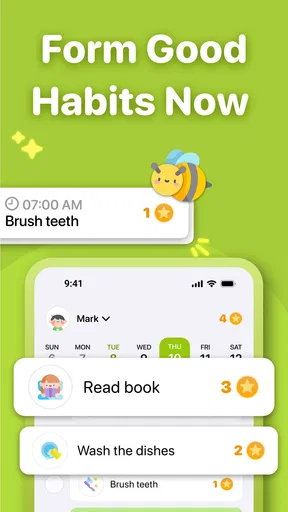
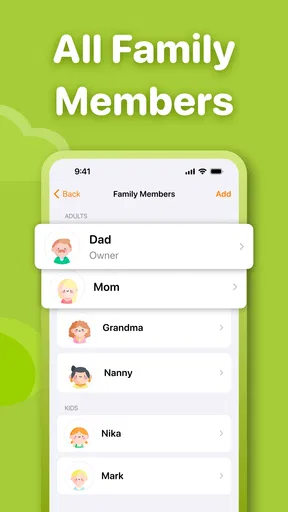
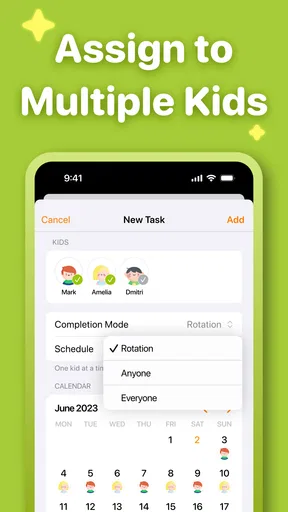
You can create profiles for each of your kids, which I found super handy. It allows you to assign different chores to each child, depending on their age and capability. This personalized touch is great because, let’s face it, not all chores are created equal, and neither are our kids.
Features That Make Life Easier
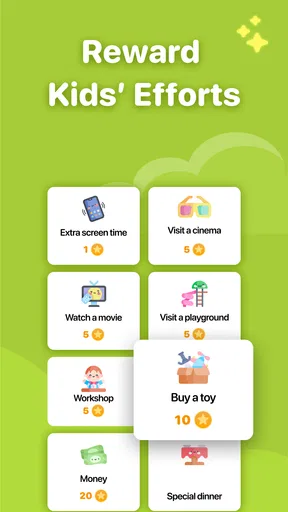
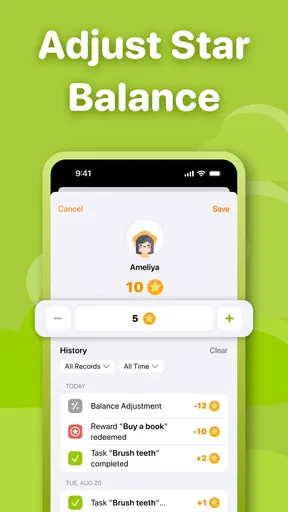
One of my favorite features has to be the reward system. You can set up rewards for completed tasks, which is a fantastic way to motivate the kiddos. Whether it's extra screen time or a sweet treat, the app lets you customize rewards to suit your family’s values and routines. It’s a win-win situation—chores get done and kids feel accomplished.
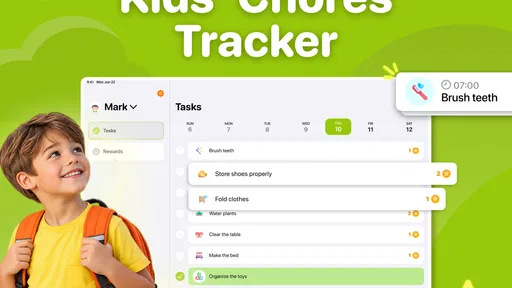
There's also a handy calendar view where you can see all the chores lined up. It’s like having a visual planner that keeps everyone on track. Plus, the app sends reminders, which means fewer excuses for "forgetting" to do chores. I mean, who doesn’t appreciate a good reminder?
Why It's a Must-Have for Parents
What really stands out about Kids Chores Tracker To Do List is how it encourages responsibility and independence. Kids get to check off tasks themselves, which gives them a sense of ownership over their duties. Plus, it’s a sneaky way to teach them time management skills. They learn to plan their day around their chores, which is a skill that’s going to come in handy later in life.
Parents get the added benefit of monitoring progress without having to nag constantly. You can view reports on who did what and when. It’s like having an eye in the sky, keeping track of everything without hovering over your kids.
Making the routine last beyond the novelty
I’d use this section to focus on what keeps the tracker useful after the first burst of excitement: a short, fair list that still reflects the family’s current routine. I’d also look at how parents can avoid letting reminders and rewards become another thing to manage, before turning to the specific habits that may cause the system to lose its appeal.
Month-to-month value: turn chores into a workable routine
The first burst of enthusiasm is useful, but I would judge this app by whether the family still opens it once stickers and rewards are no longer novel. Its strongest long-term role is as a shared record of expectations: a child can see what is theirs to do, and a parent can check completion without relying on memory or a last-minute reminder. That helps most when the same household jobs return each week and everyone benefits from a consistent routine.
A practical way to start is to add only a few chores that already happen, rather than trying to redesign the whole household at once. For example, a child might be responsible for putting away their belongings and helping with one regular family task. Once those expectations feel settled, I’d add another duty only if the existing list is being handled comfortably. A short list is easier to scan, easier to maintain, and less likely to make the app feel like a catalogue of demands.
For a realistic evening, imagine a parent preparing dinner while two children are getting ready for the next day. One checks the chores assigned to them, completes a small task, and marks it done; the parent can review progress later instead of asking the same question repeatedly. The app does not do the chore or settle disagreements about whether it was done well, but it can make the expectation visible before the household reaches the familiar bedtime rush.
Rewards work best when they reinforce effort without turning every ordinary responsibility into a negotiation. I’d agree on what a reward means before adding it, keep the terms understandable to the child, and revisit them if they become a source of arguments. A reward that takes more parent supervision than the chore itself may not be worth keeping. For families that want children to contribute because they are part of the household, rewards can be occasional encouragement rather than payment for every task.
Maintenance: keep the list fair and current
Any chore tracker needs some adult upkeep. Children grow, schedules change, and a task that made sense during one season may stop being practical later. I’d review assignments when a routine changes, remove chores that no longer apply, and make sure the workload still feels reasonable across siblings. The profiles make it possible to assign different jobs, but the parent still has to decide what is appropriate and explain the standard for completion.
That last point matters more than it may seem. “Tidy your room” can mean very different things to a parent and a child. Breaking a broad expectation into a clear, manageable action can prevent the app from becoming evidence in a recurring dispute. A child can check off a task, but a simple conversation about what “done” looks like is still needed, especially when the chore involves shared spaces or safety.
The calendar view and reminders can help make timing visible, but reminders are not a substitute for choosing a realistic schedule. If alerts arrive while a child is at an activity or the family is rushing out, they can quickly become background noise. I’d tie chores to a moment that already exists in the day—after breakfast or before screen time, for instance—and use reminders only where they genuinely help. That makes the routine less dependent on repeated prompts.
It is also worth deciding who in the family is responsible for maintaining the system. Shared caregiving can make the app more useful when adults agree on assignments and rewards; otherwise, one parent may expect a task to be done while another changes the plan. The collaboration option can support alignment, but it cannot create that agreement by itself. A quick check-in between caregivers can prevent children from receiving conflicting instructions.
Where motivation can wear thin
Stickers, animations, and rewards can make the first few days more appealing, especially for younger children who enjoy visible progress. Their effect may fade, though, and that does not necessarily mean the app has stopped being useful. The more durable benefit is having a clear routine and a record of completion. If a child only participates for the next sticker, I’d gradually put more emphasis on choosing a task, following through, and noticing the contribution the child made.
There is a trade-off between encouragement and pressure. A child who sees a growing list of unfinished chores may feel overwhelmed, while a parent may be tempted to add tasks because the app makes them easy to enter. I’d keep the list short enough that a child can understand it at a glance and avoid using missed checkboxes as a running score of character. The tracker works better as a planning aid than as a tool for catching children out.
Another possible source of friction is screen use. The app is meant to help with household routines, but checking a phone can become a distraction if the child needs repeated device access just to see the next task. A printed list on the fridge may be simpler for a family that wants a screen-free routine or for a child who is not ready to use an app independently. In that case, the app may still help the parent organize tasks, but it need not be the child’s main interface.
How it compares with simpler alternatives
Compared with a paper chore chart, this app offers a more interactive way to assign jobs, track completion, and connect tasks with rewards. Paper can be easier to see in a shared room and requires no device, while the app is more convenient for a family that wants profiles, reminders, and a calendar in one place. I would choose based on where the routine actually breaks down: if everyone forgets what was agreed, a digital record can help; if the chart is already visible and working, switching may add unnecessary upkeep.
A general to-do list can also handle chores, but it may not feel as tailored to a household with children. The child profiles and reward elements give this app a more family-focused structure than a plain checklist. On the other hand, parents who already use a shared calendar or task manager may prefer to keep everything in one familiar system rather than maintaining a second one. The extra structure is valuable only if children and caregivers use it consistently.
For families looking at cost, the app is free to install, with in-app purchases listed from $3.99 to $69.99 per item. I’d explore the basic routine before spending anything and consider whether any paid option solves a real problem for the family. A purchase is hard to justify if the main obstacle is inconsistent follow-through or unclear expectations, since those require a household agreement more than another feature.
Who is likely to stick with it?
I think it suits parents who want a visible, repeatable way to assign household jobs, particularly when children have different responsibilities or more than one caregiver needs to stay aligned. It can also help a child who responds well to checking off tasks and seeing progress. The app is aimed at parenting routines, is rated for Everyone, and is developed by NEATKID KIDS CHORE TRACKER AND REWARD CHART. It has an average rating of 4.7 from around 1.2 thousand ratings and has been installed over 50 thousand times, which suggests that families are finding the idea appealing.
The current version is 2.25.1, and the app requires Android 7.0 or later. It was released on June 18, 2024. Those details matter most when checking whether a device can run it; they do not tell me whether the app will fit a family’s habits. The important question is whether children will look at the task list and caregivers will keep assignments current after the initial setup.
I would skip it if your household prefers verbal agreements, if children are too young to use a device without extra supervision, or if maintaining another app would feel like one more parental chore. It may also be a poor fit when the family wants a simple, screen-free chart or when chores are so irregular that a calendar and reminders add little value. In those situations, a basic paper list or the family’s existing planner is likely to be easier.
Keeping It Fun
The app developers really thought about everything. To keep things fun and engaging, the app includes little animations and stickers that kids can earn. It’s these small touches that keep the app from feeling like just another to-do list. My kids actually look forward to completing their chores just to see what cool new sticker they can earn next!
The app also supports family collaboration, so if you have multiple caregivers or family members involved in the kids’ routines, everyone can stay aligned. This is particularly useful for busy families where everyone’s chipping in to help manage the household.
Final Thoughts
If you're tired of the constant battle over chores, Kids Chores Tracker To Do List might just be the answer you've been looking for. It’s intuitive, fun, and incredibly effective at turning chore time into a positive experience. The app seamlessly blends responsibility with fun, making it an invaluable tool for any parent.
So, go ahead and give it a whirl. Your sanity—and your tidier home—will thank you!
Privacy and Permissions
See what permissions an app requests and how it handles your data.
- Photos/Media/Files
- read the contents of your USB storage, modify or delete the contents of your USB storage
- Storage
- read the contents of your USB storage, modify or delete the contents of your USB storage
- Camera
- take pictures and videos
- Other
- view network connections, full network access, run at startup, control vibration, prevent device from sleeping, Google Play license check, read Google service configuration
Verdict
Strengths of Kids Chores Tracker To Do List
- Simplifies task management for kids.
- Engaging interface with fun icons.
- Customizable chore schedules.
- Tracks progress with rewards system.
- Encourages responsibility and discipline.
Limitations of Kids Chores Tracker To Do List
- Limited features in the free version.
- Requires parental setup and monitoring.
- May not sync across multiple devices.
- Occasional app performance glitches.
- Lacks integration with other family apps.
Similar Picks in This Category
View All
Family Space
Motorola Mobility LLC.3.9

شرطة الأطفال - مكالمة وهمية
Oub Apps4.1

Findmykids: Parental Control
LETEM LTD4.6

Pregnancy + | Tracker App
Philips Electronics UK Limited4.8

Policía de niños - para padres
Kids police4.7

Pregnancy App
Amila4.9
Frequently Asked Questions
What is Kids Chores Tracker To Do List and how does it work?
Kids Chores Tracker To Do List is a mobile application designed to help parents and guardians manage and organize household chores for their children. The app allows users to assign tasks, set deadlines, and track progress. It includes features like reminders, rewards systems, and the ability to customize chores based on the child's age and abilities.
Is there a cost associated with using Kids Chores Tracker To Do List?
Kids Chores Tracker To Do List offers a free version with basic features. However, there may be in-app purchases or subscription options that provide access to additional features such as advanced scheduling, customized reward systems, and ad-free experiences. Users should check the app store for detailed pricing information.
How does the reward system in Kids Chores Tracker To Do List work?
The reward system in Kids Chores Tracker To Do List allows parents to set up incentives for their children to complete chores. Parents can assign points to each task, and children can accumulate these points to earn rewards. Rewards can be customized to match the interests and motivations of each child, making chore completion more engaging.
Is Kids Chores Tracker To Do List suitable for all ages?
Kids Chores Tracker To Do List is designed to be flexible and can be adapted for children of various ages. The app allows users to tailor chores and tasks to suit different age groups and developmental stages. Parents can adjust the complexity and frequency of tasks to match their child's capabilities, making it a versatile tool for families.
Can multiple users access the Kids Chores Tracker To Do List app?
Yes, Kids Chores Tracker To Do List supports multiple user profiles, allowing each family member to have their own account. This feature enables parents to assign and track chores for different children individually. Synchronization options ensure that all users have access to updated information across devices, promoting collaboration within the family.
